
Cabinet quoting software that prices the job you just cut
The quote and the cut list are the same job, so they should not be two evenings of work. Cutzilla costs a kitchen straight off its optimised layout and turns it into a branded price you can send the same day.
Free to start · no card required
Why quote from the cut list instead of a spreadsheet?
Quoting from the cut list means the price is built on the real layout you will cut, so the material and board count on the quote match the job, not a padded guess typed into a separate spreadsheet.
A spreadsheet quote is a second version of the job that has to be kept in step with the first by hand. Change a carcass, and the cut list moves while the quote quietly does not. The gap between them is where margin leaks: a board you forgot to add, an offcut you double counted, a price sent late because rebuilding the numbers ate the evening.
Cutzilla removes the second version. It costs the job from the same optimised cut list, so the board count, material, and parts on the quote are the ones you actually cut. You add your labour and margin, brand it, and send it while the job is fresh. For the pricing tactic that wins more of those quotes, read good, better, best quoting.
Optimise the sheet. Quote the whole job.
Most cutting software stops at the layout. Cutzilla keeps going — turning your optimised plan into a clean, client-ready quote, priced from the very same materials and offcuts the optimiser just worked out.
- Costed from the cut. Pricing flows straight from the optimised layout, so material costs reflect real sheet usage and waste — not a rough guess.
- Client-ready in one step. Produce a professional, branded quote you can send or print — straight from the project you just optimised, with no double entry.
- The whole job, not just the sheet. Go from cut list to priced quote in one place — the part of the workflow other optimisers leave you to do in a spreadsheet.
A feature that sets Cutzilla apart — most optimisers stop at the layout.
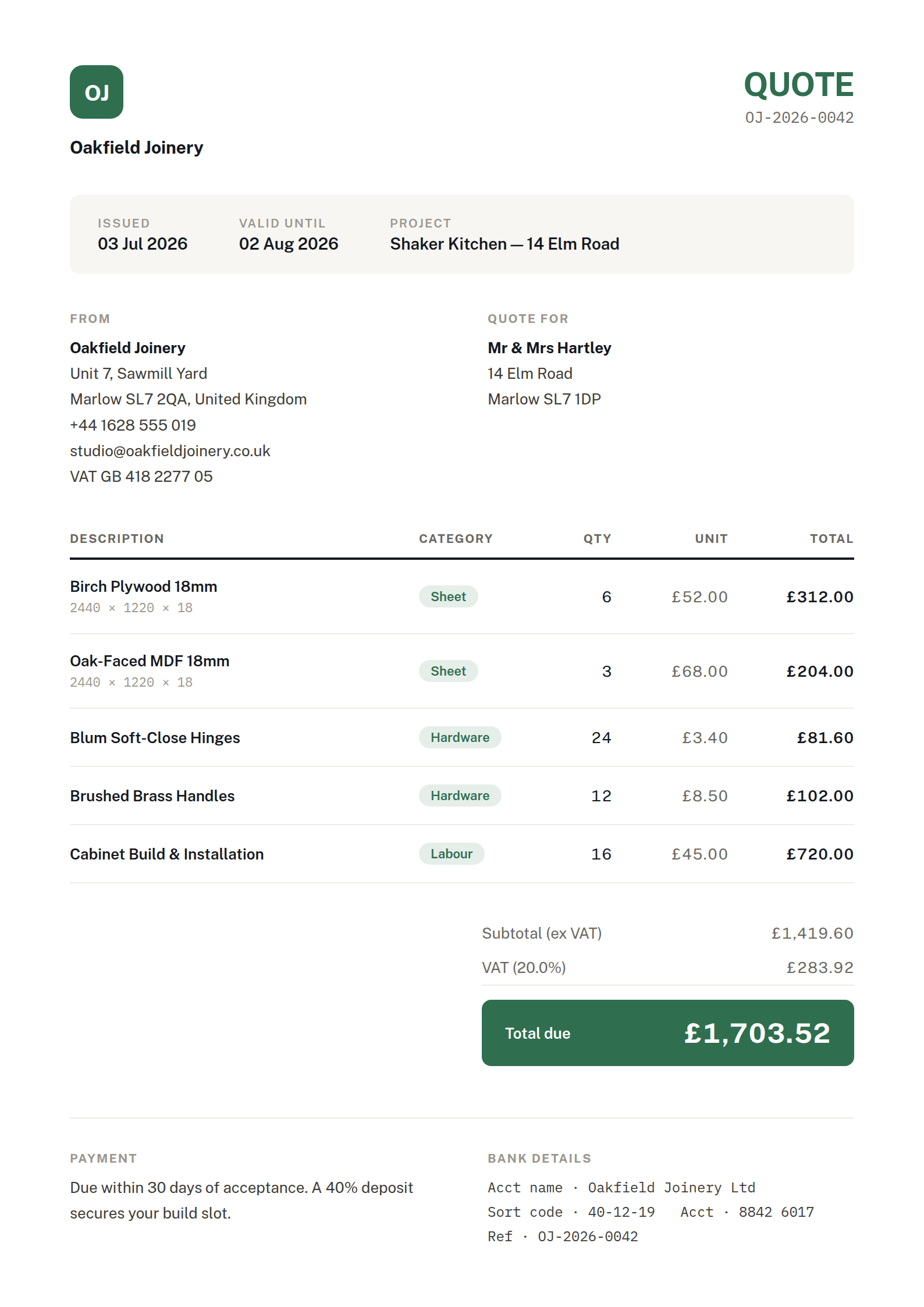
Illustrative — fictional business & client details
Start free. Multi-quote lands with Pro.
Cost a job free in the browser today. Saved quote history, branded templates, and good, better, best multi-quote options are part of the Pro plan, coming soon: join the waitlist to be first, with launch pricing locked in.
Cabinet quoting software FAQ
Cabinet quoting software works out what a job costs and puts it in front of the customer as a clear, branded price. Cutzilla builds the quote from the same cut list you optimise, so the material, board count, and parts on the quote match the layout you actually cut, without retyping anything into a spreadsheet.
Cutzilla prices the job straight off its cut list, so the moment you have optimised the layout you have the material cost, board count, and parts list a quote needs. You add your labour and margin and send a branded price the same evening, instead of rebuilding the numbers by hand after the workshop has gone quiet.
Multi-quote, sending a customer a good, better, and best option instead of a single price, is part of the Pro plan, coming soon. It is one of the most reliable ways to win more work at a healthier margin. Join the Pro waitlist to be first when it lands.
You can cost a job in the browser on the free tier today. Saved quote history, branded templates, and multi-quote options are part of Pro, which is coming soon. Start free now and join the waitlist to lock in launch pricing.
No. Cutzilla runs in the browser on any device, so you can price a job on the office laptop or a phone at the merchant, with nothing to install and no per-seat licence to manage.
Send the quote the same day you plan the cut
Price a kitchen straight off its cut list and stop rebuilding the numbers after hours.